Troubleshooting
While the plugin is designed to handle complex geometries, certain modeling techniques in Revit can cause the analysis to fail. This page covers common modeling issues and how to resolve them.
Room Clusters
1. Micro-Gaps in Separation Lines
When merging rooms, LUX relies on Revit's native geometry engine. If Room Separation Lines do not perfectly touch the bounding walls, microscopic gaps can occur. The rooms may appear connected when zoomed out, but the geometry engine will fail to merge them because they only touch at a single geometric point or have a tiny separation.
This typically results in the following errors in the Analysis Log:
ERROR [RoomGeometryMerger] Boolean union failed...
ERROR [DaylightAnalysisService] Cluster creation failed...
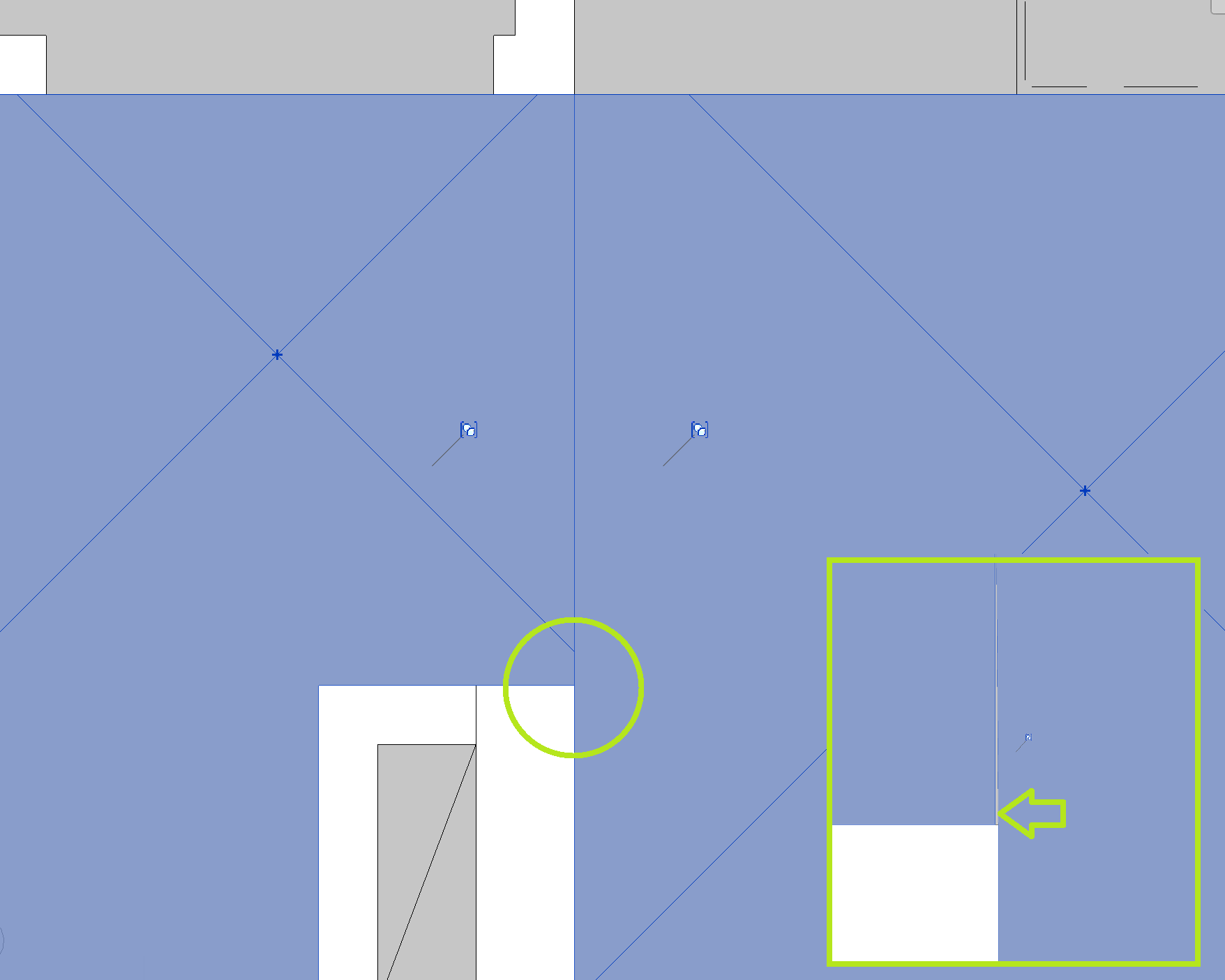
Solution: First, isolate the problematic separation line by running the analysis on different combinations of rooms until you identify which specific connection triggers the error. Once identified, zoom in closely on the intersection of that Room Separation Line and the wall. In most cases, simply moving the line a few centimeters and snapping it back into place will force Revit to update the geometry, closing the microscopic gap and allowing the merge to succeed.
2. Unintended Mass Clusters
A common modeling error is drawing a single long Room Separation Line along the inside of an exterior wall, crossing through multiple partition walls. The cluster detection will interpret all rooms touched by this line as a single massive cluster (e.g., prompting a warning that a room is connected to dozens of others). The analysis will likely fail because the geometries of these separated rooms cannot be merged.
Solution: Delete these long lines and only draw separation lines exactly where rooms share an open, physical connection.
As a temporary workaround, you can disable "Extended Cluster Detection" in the Analysis Settings. This restricts the cluster merge only to the rooms you manually selected before starting the analysis, bypassing the unintended mass cluster. However, if you actually need to analyze two separate rooms that are incorrectly linked by a long separation line, the analysis will still fail. Fixing the underlying model lines is always the required long-term solution.